
School communication without a public phone-number directory.
Schools need notices, classes, homework and parent communication. They should not need to publish every parent’s personal number to every member.
What a school sees in the dashboard today.
A school organisation gets its own workspace: verification, members and seats, catalogue and plan. These screens are from current release and use a sample school.
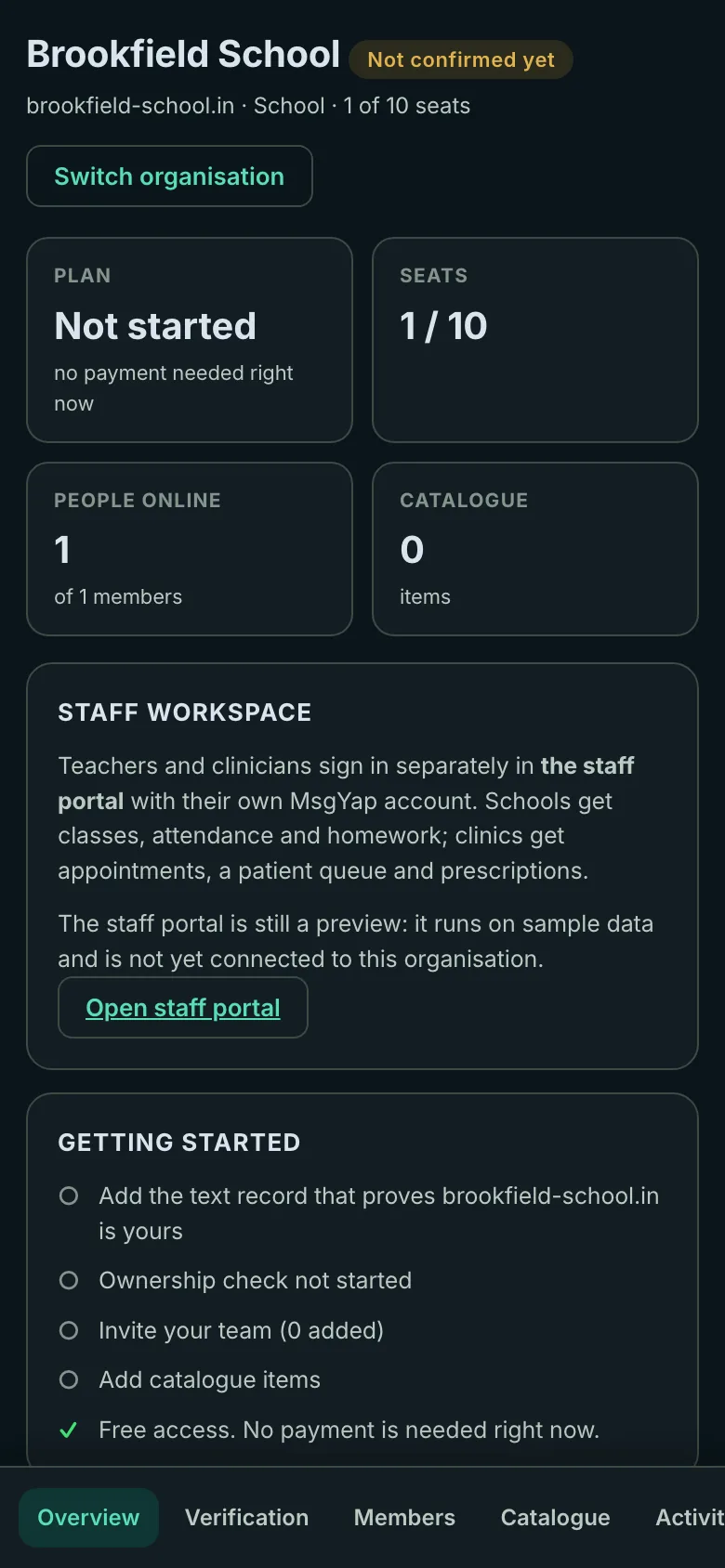
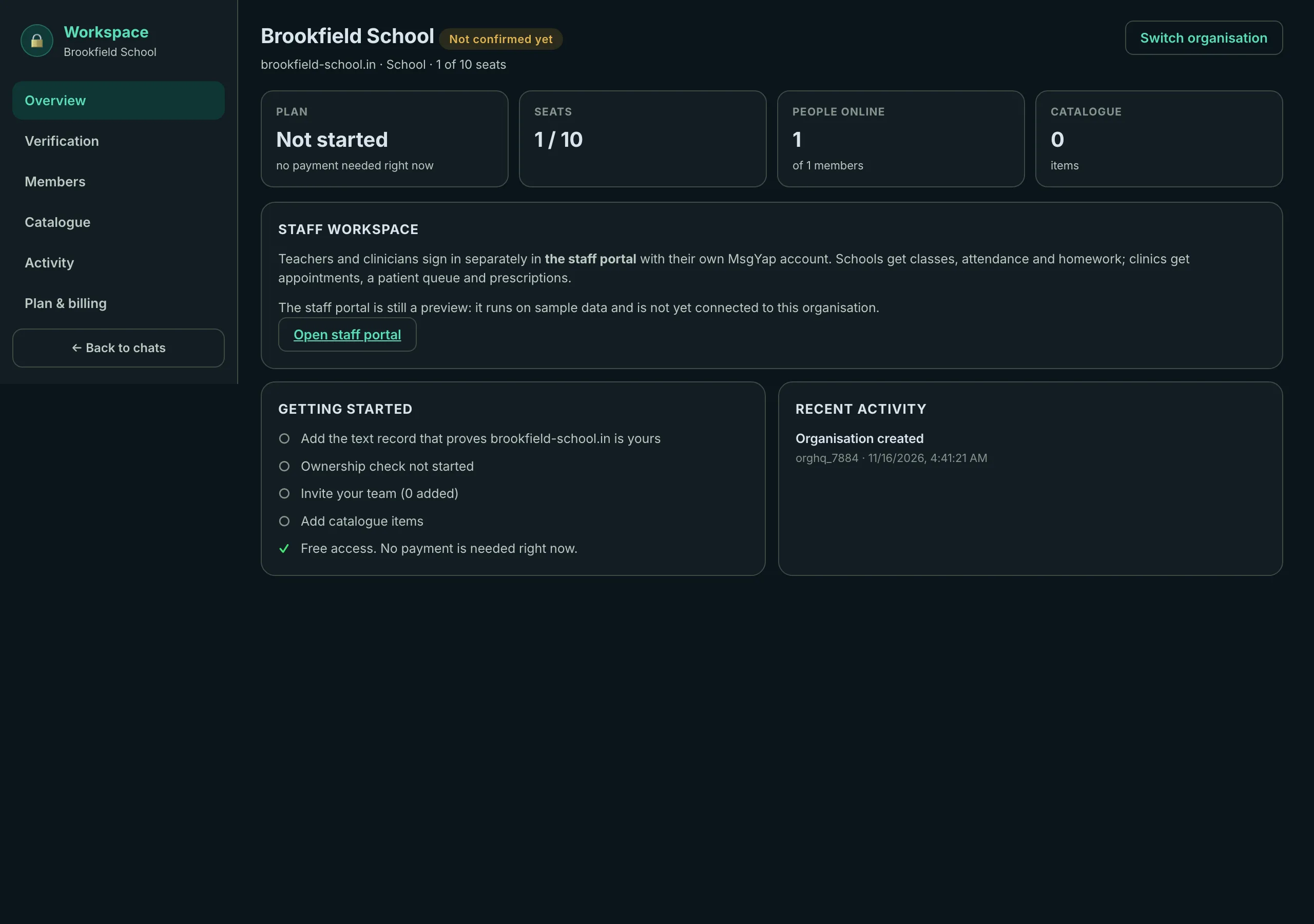
MsgYap is a username-first communication platform developed by NAPPILOS LLP. The school workspace is a communication layer that can sit beside an existing ERP or student information system, not necessarily replace it.
The school problem
Schools coordinate notices, classes, homework, parent communication, teacher communication, attendance, events, emergency messages, documents and transport updates. Ordinary consumer groups can expose phone numbers more broadly than necessary, and a class list can become a permanent contact directory.
A role-based model
The intended model is School → class → teacher → parent → student. A parent should see the school and class identity they need, not a directory of every parent’s private SIM.
Classes and homework
Class groups, notices and homework mirrors for approved members.
Parent communication
Parent–teacher messaging with school-controlled membership and roles.
Attendance and events
Attendance views, event notices and documents inside the workspace.
What is built and what is not
- Built: username-first accounts, the organisation workspace (verification, members, seats, catalogue and plan) and domain verification through a DNS text record. MsgYap reviews verification requests before activation.
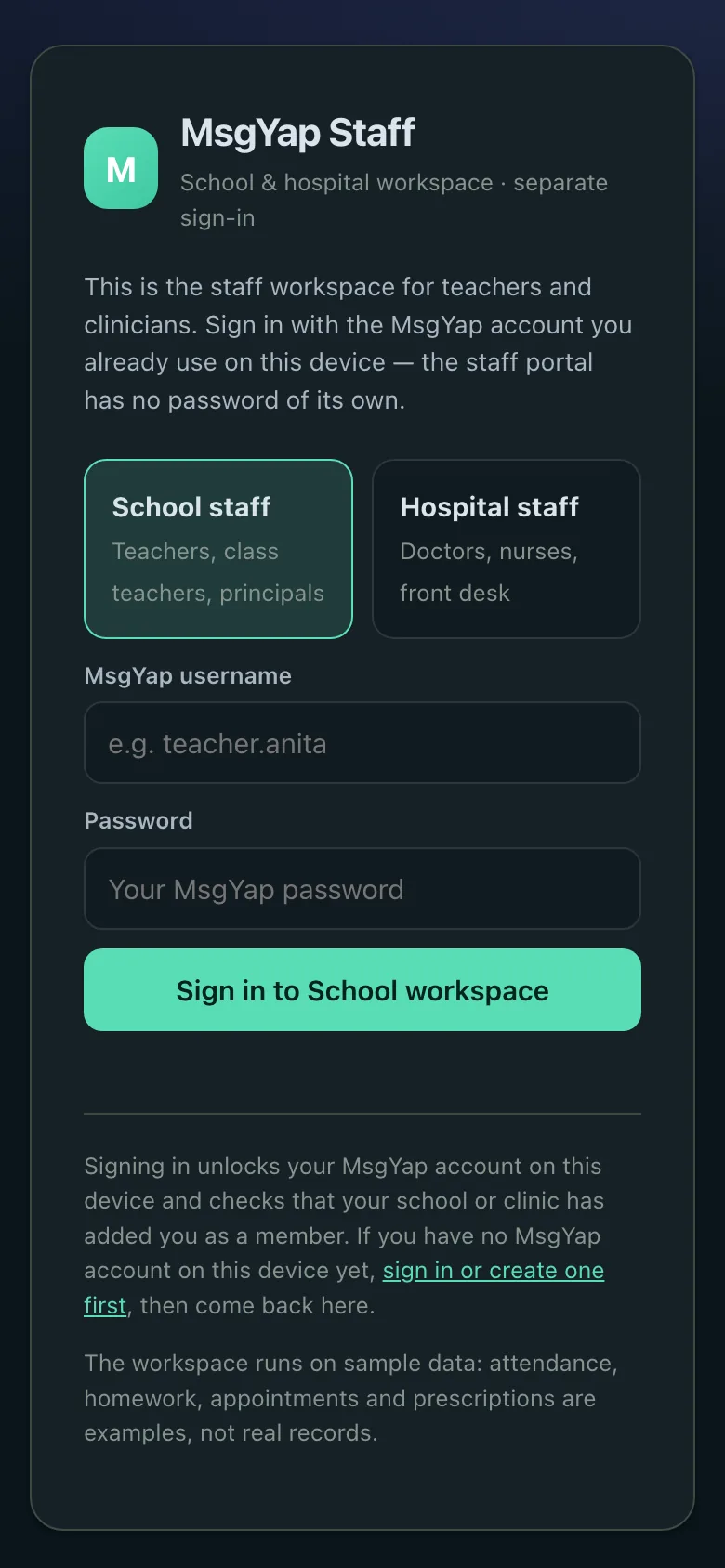
- Preview: the staff portal runs on sample data — attendance, homework and class lists are examples, not real records — and is not yet connected to a live school.
- Partial/pilot: school verification review, attendance and broader class operations; these need deployment review.
- Roadmap: institutional systems integrations, parent-controlled child identities, age-appropriate defaults, school-only boundaries and production audit completion.
Safety and privacy boundaries
School communication involves children’s data. Stronger privacy safeguards, parental controls and institutional agreements are required. MsgYap is not claiming that the current pilot is fully child-safe or legally sufficient for every jurisdiction. Schools should complete their own DPDP, child-protection and procurement review.
Complement, not replacement
An existing ERP or SIS remains the system of record. MsgYap’s direction is to provide a communication layer that can connect with existing school systems through integrations, rather than forcing a school to move its records into a messenger.
See security, the privacy policy, organisation workspaces, or contact us about a pilot.
School questions
Is MsgYap production-ready for schools?
No. School functionality is a controlled pilot. Legal, child-safety and production security reviews are required before broad institutional deployment.
Does it replace a school ERP?
No. The intended role is a communication layer beside the institutional systems, not a replacement for the system of record.
Are parent phone numbers published?
The design direction is role-based communication. Parents should see the school and class identity they need, not a public directory of personal numbers.
What does a school workspace cost today?
Nothing. The workspace is free right now: the organisation plan shows as not started and no payment is needed.
Can children use it independently?
Broader child deployment requires parental controls and age-appropriate safeguards. Parent-controlled child identity is roadmap.
How a school gets started
A school workspace belongs to the school, not to a teacher’s personal number. Five steps, and the first two take about ten minutes.
-
1
Create your own MsgYap account
Sign up at msgyap.app with a handle and a password. No phone number is asked for. Keep the 16-word recovery phrase offline — it is the only way to restore the account.
About 2 minutes
-
2
Create the workspace for the school
In Workspace, enter the school name, the domain the school owns (for example brookfield-school.in) and choose School. Free-mail addresses are refused, and the name must match the domain.
About 5 minutes
-
3
Prove the domain
The dashboard shows one TXT record. Give it to whoever manages the school website. Press Check; it is live once the record resolves.
10 minutes to a few hours
-
4
Human review
Schools are reviewed by a person before activation, because a school workspace carries child-safety obligations.
Reviewed before activation
-
5
Invite staff and set roles
Add teachers by handle as Member, and one or two colleagues as Admin. Everyone signs in with their own account — no shared password.
Any time
Free right now — no card and no paid plan on sale. Clinics and schools are reviewed by a person before activation; businesses verify automatically once their DNS record matches.